Sidequest
Sidequest gives Claude Code a local board for planned work. It groups tickets into stories, keeps the backlog visible, and runs delegated work through a repeatable review and delivery flow. That flow works for Git codebases and filesystem snapshots of non-Git documentation trees, vaults, and research collections.
Every task saved as a ticket survives context compaction and new sessions. Its instructions, reproduction steps, status, and recorded discussion stay in the local Sidequest store, so Claude can retrieve the task after the chat context shrinks.
Install
Section titled “Install”Install Sidequest for the project you are working in:
/plugin marketplace add Eigenwise/eigenwise-toolshed/plugin install sidequest@eigenwise-toolshed --scope projectReload Claude Code or start a new session after installing. Sidequest packages its executor roster with the plugin, so Claude discovers every routed executor when it loads the plugin, before SessionStart maintenance. You can also run /quartermaster:setup and let Quartermaster install and configure Sidequest for the project.
Sidequest is local. The dashboard runs on your machine and ticket data stays in the local Sidequest store.
Each board belongs to one project folder. When you work in a Git repository, Sidequest creates its board the first time Claude uses the board there. A folder that is not a Git repository, such as a notes vault, gets a board only when you name it: ask Claude to add it by its absolute path, or pass --project <absolute path> on the command line. Sidequest never makes a board for a missing folder, a folder in your system temp directory, or anything under ~/.claude (including Sidequest’s own storage), and it tells you which rule refused the path. If a registered project’s folder is later moved or deleted, the board stays and the projects list marks it as missing. Repoint a moved repository with board move, or archive a deleted one.
Check your first saved task
Section titled “Check your first saved task”Start with one small task you actually need to finish. Ask Claude:
Save this as a Sidequest ticket. Record the result I want, the current progress, decisions, the last check and its result, and one concrete next action. Show me the ticket reference so I can find it again. Keep it on the backlog for now.
Open the ticket and confirm those details are there. If the task has an executable check, record its exact command and last result; put prose acceptance criteria in the description or comments.
Start a new Claude Code session in the same project, then ask:
Read Sidequest ticket SQ-N and its full recorded discussion. Tell me the saved next action before continuing.
Replace SQ-N with the reference Claude gave you. Confirm the answer against the ticket, then ask Claude to continue that action. A detail that was never recorded needs to be supplied again.
Once this save-and-read check works, use the story workflow below when the task needs planning or delegated implementation.
When an executor hands back a clean committed checkpoint in a retained worktree, its replacement gets a Resume section first. It names the checkout, pinned commit, handback reason, and last recorded verification result and log. After claiming, the replacement confirms HEAD and runs the pinned verifier on that candidate before continuing (shared-environment checks still wait for delivery). It reads new instructions or missing evidence rather than starting over with the full thread. The complete description, contract, scope, and verifier remain in the briefing.
A repair linked to a rejected candidate restores it with git merge --no-ff, preserving its commit ancestry. Byte-identical inherited tests are recorded as inherited-unchanged on submission and need no new negative-control markers; changed tests still need their controls. Provisioning links scoped plugins’ dependencies from the registered checkout when their lockfiles match. If dependencies are missing or the lockfile differs, provisioning records an install deferral. The briefing tells the executor to run npm ci --prefix plugins/<name> --ignore-scripts --no-audit --no-fund before work. The WorktreeCreate hook never runs these plugin installs. Bounded verification needs no resource slot unless board configuration declares one, and any declared slot comes through the board.
Importing tests at delivery
Section titled “Importing tests at delivery”Integration runs the pinned verifier on the merged tree, then runs additional test files that statically import the delivery’s changed plugin modules, including transitive imports through Sidequest’s compiled lib/. The delivery records the selection in verify.integrationTests, even when no tests match. Files already in the pinned command aren’t repeated. Extra files run serially, one file per batch, with a maximum of 600 seconds each. Sidequest uses test:files, never test:full, for these extra runs. A failure blocks delivery and its log appears in verify.importingTestResults.
Read-only shell writes
Section titled “Read-only shell writes”Read-only executors can redirect output to scratch files or their ticket’s verification directory. The shell guard treats Bash heredoc bodies (<<, <<-) and here-string values (<<<) as input data, so annotations such as -> int: inside a probe script don’t become write targets. A real output redirect into the repository still refuses, even when the command also has a heredoc.
Read-only and isolated executors can inspect the shared checkout with read-only Git commands, including git -C <shared> worktree list and git -C <shared> status --porcelain -- <paths>. This lets an executor check that it left the shared paths untouched. Git mutations against that checkout still refuse.
Completed review decisions
Section titled “Completed review decisions”A completed independent review can say ACCEPTED while its source submission still shows a planned review outcome. The orchestrator records that decision explicitly through the main-thread MCP verdict tool:
{ "ref": "SQ-12", "by": "orchestrator", "outcome": "accepted", "text": "The exact candidate passes the completed review.", "finalize": { "sourceRef": "SQ-11", "commit": "<exact original reviewTarget candidate hash>", "evidence": "Original terminal review report and inspected range" }}Copy the original review’s source and candidate from reviewTarget. Finalization requires a genuinely done, unclaimed independent bound review and its exact pending source. It preserves the reviewer, original completion and evidence, and updates both review outcome records. Use rejected when that candidate must not ship. Exact retries write nothing; a mistaken acceptance uses the main-thread verdict.correct contract with the original decision timestamp and evidence. Repairs still need a fresh candidate and independent review.
For a bound review that was never dispatched, add "authority": "main-attestation" inside finalize. The main thread must supply by, text and evidence naming where the external review happened. Accepted permits integration, rejected blocks it. Sidequest records reviewerRuntimeProvenance: false and preserves the absent dispatch/completion. An active, released or partially completed reviewer cannot use this path.
ref is always the review ticket (SQ-12 above); the reviewed source only appears as finalize.sourceRef. Pass the source as ref and the refusal names the review and the shape it takes next.
CLI, dashboard, report prose and generic ticket links cannot grant this decision. Experimental reviews waiting on an oracle keep their separate verdict flow: a review released with kind oracle takes plain verdict {ref, outcome, by, text}, never finalize. groomClose refuses such a bound review with oracle_verdict_pending until its verdict exists, so the outcome can’t be dropped by closing it first. A review that was closed with its oracle round still unanswered (before that guard existed) refuses both verdict shapes with oracle_round_closed; reopen it with update {ref, status: "awaiting-oracle"}, then record the plain verdict. Non-Git reviews without supported immutable submitted-source provenance refuse finalization rather than inventing acceptance. Acceptance supplies no test evidence or integration waiver.
Integration branches in linked worktrees
Section titled “Integration branches in linked worktrees”If your integration branch is checked out in a linked worktree, Sidequest selects that checkout for integrate and manual delivery recording. Singleton and wave integration always deliver onto the ticket’s recorded branch. If that branch has no checkout, integrate creates a separate worktree under the board worktree root, leaving the registered checkout’s branch and files unchanged. Clean temporary worktrees are removed after delivery; apply mode retains staged changes in the integration record’s worktree path. Passing a different integrationBranch refuses, so changing the delivery target requires redispatch. An explicit groomClose.worktree still selects another worktree of the same repository. Dispatch keeps qualified branch refs, and submit keeps the frozen dispatch base.
Integration quality receipts
Section titled “Integration quality receipts”When Quality Gate is registered for the project, integration captures the pinned verifier on the exact delivery tree and measures changed source against each participant’s dispatch baseline. Measured failures refuse delivery and name the failing bodies. Missing coverage stays UNVERIFIED and creates one measurement-debt ticket per candidate. Receipts stay in the board’s verification directory and appear in the recorded verification, including publish queue JSON. Without a configured gate, verification records quality status none.
Your first workflow
Section titled “Your first workflow”- Open the board with
/sidequest:board, or tell Claude to show your Sidequest board. - Describe the outcome you want and ask Claude to plan it as Sidequest work. For example:
Plan the checkout refresh as a Sidequest story and show me the backlog.If work belongs on a feature branch, name that branch in the request. - Review the proposed tickets, dependencies, and scope in the board. Adjust the plan before work starts.
- Ask Claude to dispatch the ready tickets. Claude chooses the configured route, starts the work, and reports verification results. Dispatch freezes each ticket’s intended target branch, so two concurrent feature branches get separate targets without changing the board default. Integration keeps that recorded target through submission and delivery; a group with different targets stops before changing either branch.
- When a ticket is ready, ask Claude to integrate it if its checks pass. Independent review is required only for a contract-named seam the check cannot exercise or a required high-stakes review. Multiple review lenses need distinct named risks; wave count alone adds no review.
Each ticket carries a focused check that decides whether its work is ready. Claude records that check against the final clean committed candidate once and reports what passed, failed, or needs your decision, unless the dispatch pins a shared environment: then it submits deferred evidence for delivery. Delivery still runs its real pinned verifier. After delivery, Claude runs one combined full merged-tree gate per wave before versioning, including a singleton. A changed tree after rebase needs a fresh gate. Assembled-tree proof is reused only when Sidequest’s runtime authorizes its exact identities. The agent-facing reference covers capture, evidence, and delivery mechanics.
A verifier pinned to a shared environment (verifyEnvironment: shared) skips executor capture and the
assembled-wave gate. Its environment lane is integrate’s delivery gate in the shared checkout, against
the merged tree. Claude runs CLI sidequest integrate <ref> --project <path> --json through background
Bash (run_in_background) and acts on its completion notification; MCP refuses environment_lane_requires_cli.
Delivery must be merge or replay: apply leaves the checkout dirty and blocks the next lane item.
A groomClose closure with deliveryCommit is also a lane run. CLI integrate
runs it under an owned process tree: at the deadline the whole tree ends and the delivery rolls back with exit
124. On POSIX that tree is the verifier’s process group, so anything it starts with setsid (or another new
session or group) escapes the deadline and needs its own teardown in the verify command. On Windows the
tree is the job owner’s job, which holds detached descendants too; a process started through a service or
broker (dockerd, for one) is outside it. A verifier that exits 0 but leaves the tree unaccounted for (a member
still alive, or no account of the job’s members) is recorded as could_not_run with the cleanup error, and the
delivery rolls back. A verifier that exits non-zero is recorded as failed_suite with its own exit code even then,
with the cleanup error added to the evidence. The run passes only when the tree’s owner reports that it finished;
an owner that dies first is recorded as could_not_run, whatever the verifier exited, and the delivery rolls back.
The owner reports how the run ended on a private channel the verifier never sees, so the verifier’s stdout and
stderr are only the suite’s log: nothing it prints, even a copy of an owner line, changes the verdict.
A lane candidate never ran that verifier before it was submitted, so a failed lane run (or a --no-ff merge
that conflicts) is the first anyone saw of the failure. After the rollback, integrate sends the ticket back to
todo through the ordinary rework path once, with the command, log path, failures and output tail as the
rework evidence, so the next dispatch’s briefing carries the failure under “Pending rework”. Nothing is
spawned: you still decide to dispatch it. A second lane failure of the same ticket stays parked with
environment_lane_second_failure naming both logs, and a candidate bound to a review is never reworked
automatically. Default boards keep their existing failure handling.
Integration always happens in your local checkout: Claude merges the work into the local target branch and
runs the check there. Sidequest never fetches and never pushes, so the push stays a deliberate step you or
Claude take afterwards. When the project has an origin remote, Sidequest additionally reads
origin/<branch> as evidence about what already landed, which is how it recognizes work that someone merged
outside the board. That only affects what counts as proof; the merge and the check still run locally, and a
recorded delivery always names the branch that actually carried it.
Heavy commands share a named resource slot, within a two-core budget and at most two workers, finite deadlines, and cleanup of child processes. Other executors keep reading, editing, and committing independently. Once ready to verify, they record readiness and pause with their claim intact. The actual owner acknowledges that its command and descendants ended, then the parent explicitly hands the slot to the next holder. A real terminal closeout or an authenticated mid-claim return can supply that acknowledgement; elapsed time and process counts cannot. No polling or automatic restart is needed.
On Windows the pinned verify (the verify-capture wrapper), test:full and build:check run inside a
Job Object. The first run builds a small owner from scripts/windows-job-owner.cs with the .NET
Framework csc.exe that ships with Windows and caches it per user under the temp directory, keyed by
the source hash, so later runs skip the compile. The owner joins its own job before it creates the
verify command, so the command and every descendant that inherited the job, including ones reparented
away from their parent or started detached, are job members from the instant they exist; a Python, cmd,
pnpm, Turbo chain can’t outlive the owner, and killing the owner at any point kills the tree. A process
created through a broker (a service, COM activation, a daemon such as dockerd that docker asks to
start a container) is outside the job and is not tracked. The deadline (600 s by
default) or a caller AbortSignal asks the owner to exit, which reports the job’s own list of live
members and closes the job; an owner that does not exit in time is killed, which closes the job just the
same. A pre-aborted signal starts nothing. The capture then fails as timeout or could_not_run, and
its reason names the processes the job ended, any that refused to end, the broker boundary, and the
output log path. When the owner left no account of its job, or one cut off mid-write or malformed, the
reason says “survivor state unknown” rather than claiming none survived. The owner gets its report file
and a per-run nonce only as its own arguments, stamps every report line with that nonce, and removes
SIDEQUEST_JOB_OWNER_REPORT from the environment the verify inherits. A report line without the nonce
counts for nothing, so a verify that finds the report file and writes an empty-job record into it still
gets “survivor state unknown”. A host with no csc.exe fails the run with JOB_OWNER_UNAVAILABLE
instead of running the verify unowned. Set SIDEQUEST_JOB_AFFINITY_MASK (for example 3 for two
cores) in the verify’s environment to pin the whole job to those processors. POSIX keeps its
process-group supervision unchanged; the signal option does not cancel a POSIX phase.
Handoffs carry the actual instruction or recover it from bounded comments. An exclusive since cursor
only says where a read starts; the processed cursor advances after the instructions are consumed.
Tickets should fit implementation plus final verification comfortably before about 75 tool rounds. Larger work is split along cohesive boundaries. A Continuation checkpoint commits progress, records remaining work and verification status, and releases for a fresh dispatch. A resource pause keeps the claim.
Quality gates are optional. Run /quartermaster:setup and approve the gate proposal to turn one on
through .claude/quality-gate/crap.json and a project live rule. Sidequest discovers the configured
gate in the executor briefing; user-injected rules still apply. Without a gate, run the pinned verifier,
state once “no quality gate is configured for this project; Quartermaster setup can add one”, and continue.
Gate absence never holds integration or marks work UNVERIFIED.
A configured gate uses the existing local owner: early measured complexity where supported, then trustworthy fresh
coverage for the same candidate bytes. Compatible candidate coverage is reused through the runner’s
supported path rather than another full suite. Report per-function rows honestly, with no averages;
untouched legacy functions stay outside scope. Missing analyzer or coverage for a configured gate is UNVERIFIED, and measurement
tooling and reports stay local and uncommitted. The repository’s scripts/quality/crap.mjs parses with
TypeScript’s sync named-pipe API by default; collectFunctions(text, file, { transport: 'async' }) or
CRAP_PARSER_TRANSPORT=async switches to the stdio transport, which also runs under
node --permission --allow-fs-read=* --allow-child-process. Before a long measurement run, freeze its inputs and
check source/coverage identity, native ownership and deadline fit. Supported focused real coverage can
run separately from the normal final gate. Source stays fixed during immutable capture; failed or
unsupported measurement stays visible.
Choose the planning depth
Section titled “Choose the planning depth”A bounded fix defaults to one owner and a focused check. Small fixes in a few known files may run inline without a ticket. Read-only investigations need no ticket either: on a routed project, route_recipe(category).research gives one read-only spawn that runs on that category’s model (so codebase research and UX research can use different models). Native Explore or general-purpose agents still cover tiny lookups and unrouted projects. A story or wave needs 3+ independently checkable pieces and a stated reason; a review panel needs a named risk for each lens. Substantial or ambiguous work starts with a visible surgical contract: the outcome, non-goals, smallest authority needed, scope, bounded oracle (the check that decides whether it worked), and review limit. Claude settles why an improvement is worth making, its approach, and its boundary before dispatch. Research can supply facts and bounded alternatives. Executors implement that plan with normal local coding judgment and report evidence when a pinned choice cannot work.
For substantial or safety-sensitive changes, Claude first checks feasibility before expensive coding or tests: shared authority and callers, the smallest existing seam, support for the project’s configured quality gate, if any, genuine native baseline/candidate ownership, a runnable check and its actual timeout/resource fit. Small deterministic fixes keep one owner and a focused check. A plan advisor is useful only for a named architectural risk or contested approach worth its cost. Quartermaster handles setup; the dedicated quality owner supplies measurements.
Ordinary next steps within the pinned contract are preauthorized. One producer owns the patch, focused regressions, measurement, final capture and submission. A blocked resource or authority decision pauses that step while unaffected source work continues. Messages carry real decisions and findings, without routine checkpoint or acknowledgement relays.
Claude lists what the request leaves unclear, sends the unknowns the code can answer to parallel read-only sub-agents, and asks one batched question round only for what that investigation could not settle, with the findings attached to each question. If the approach is genuinely contested, it may offer bounded agent proposals instead. Do your thing, use your judgment, and similar phrases delegate decisions for the current feature or story, not for future work.
Review stays tied to the pinned contract. If two candidate fixes are rejected in the same defect chain, stop patching and replan before trying another candidate. A bound review and its source cannot be deleted, even with force. Keep the record and create a fresh independently reviewed replacement when needed; deletion does not repair older orphaned records.
The board keeps the work visible while Claude and its executors handle the ticket lifecycle. A Git ticket submits a verified range; a non-Git ticket submits a verified project snapshot. Claude reports any unavailable capability or failed delivery instead of guessing around it.
Keep tasks through context compaction
Section titled “Keep tasks through context compaction”Save each task as a ticket with the outcome you want and enough information to pick it up again. As work proceeds, ask Claude to record decisions, progress, verification evidence, and the next action in the ticket description or comments.
Save this task in Sidequest with the current progress and next steps so we can continue after context compaction.
After compaction or in a new session, ask:
Check the active Sidequest tickets for this project and continue from their recorded next steps.
The board persists independently of the conversation. Details that matter for resuming the task need to be recorded on the ticket. You can also open its detail view to read the saved fields and discussion yourself.
Moving a repository
Section titled “Moving a repository”After moving or renaming the repository folder, run sidequest board move <old-absolute-path> <new-absolute-path>. The destination must be a Git repository root with no existing board. Finish or release every claim, let dispatches terminate, and wait for worktree sweeps to finish first. A refusal names the claim, dispatch or sweep flight still holding the board.
The move keeps ticket and story numbering, comments, routing, assets and pending submissions. It repairs Git worktree registrations and relocates terminal checkout bindings under the old repository root. External worktree paths stay unchanged. Submission and review authorities stay unchanged; existing verification evidence remains at its original storage path. The board records the old path, new path and move time. This command repoints Sidequest after a filesystem move; it doesn’t move the repository folder for you.
Use the dashboard
Section titled “Use the dashboard”The project rail keeps every registered board in one place, with ticket counts and status progress beside each project. The combined view is useful when you want to scan ownership, priorities, labels, stories, and routes across the whole queue.
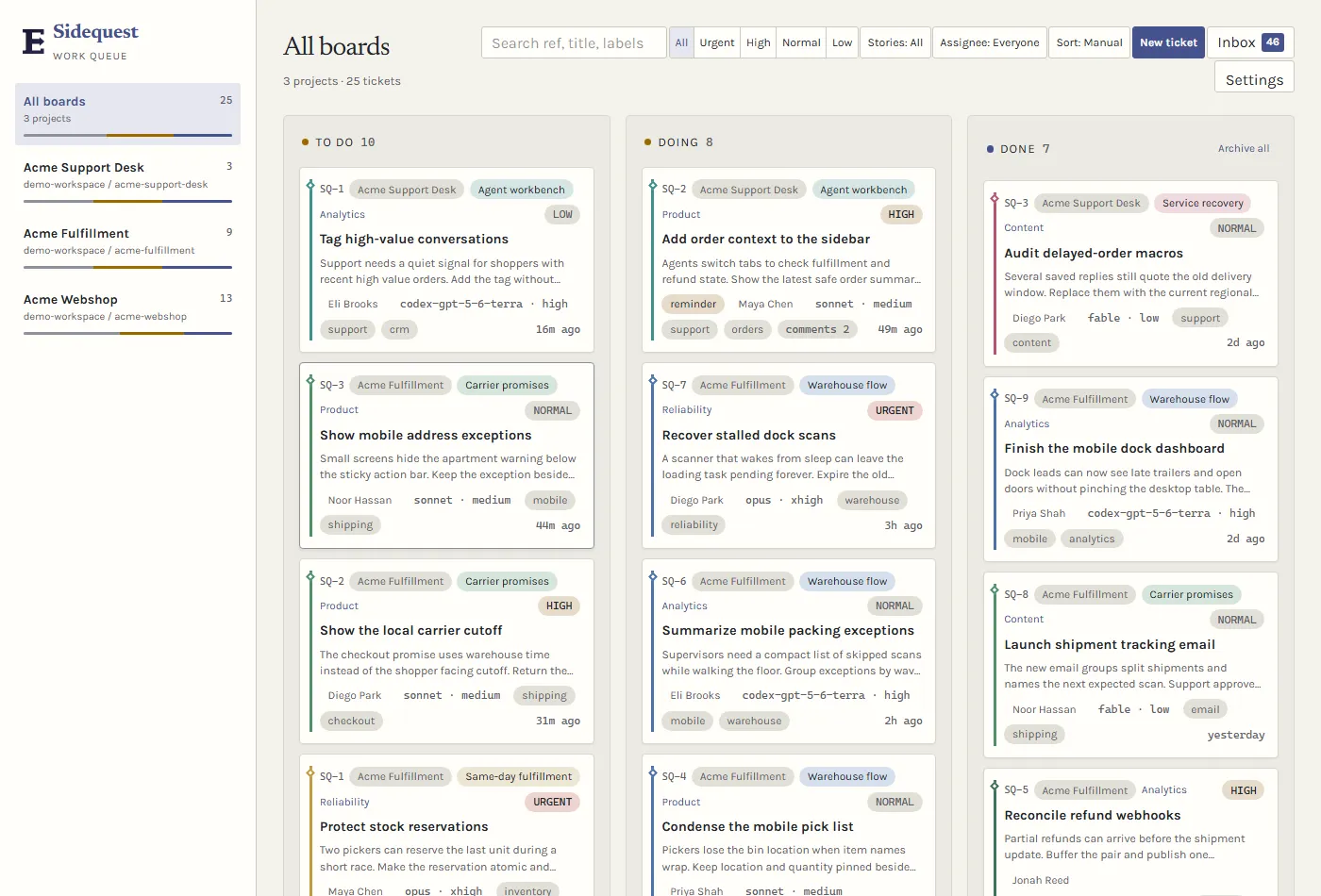
Synthetic demo data showing three active project boards and 25 tickets.
Select a project in the rail when you need its focused board. The columns keep that project’s open and completed work visible without losing the rest of the rail.
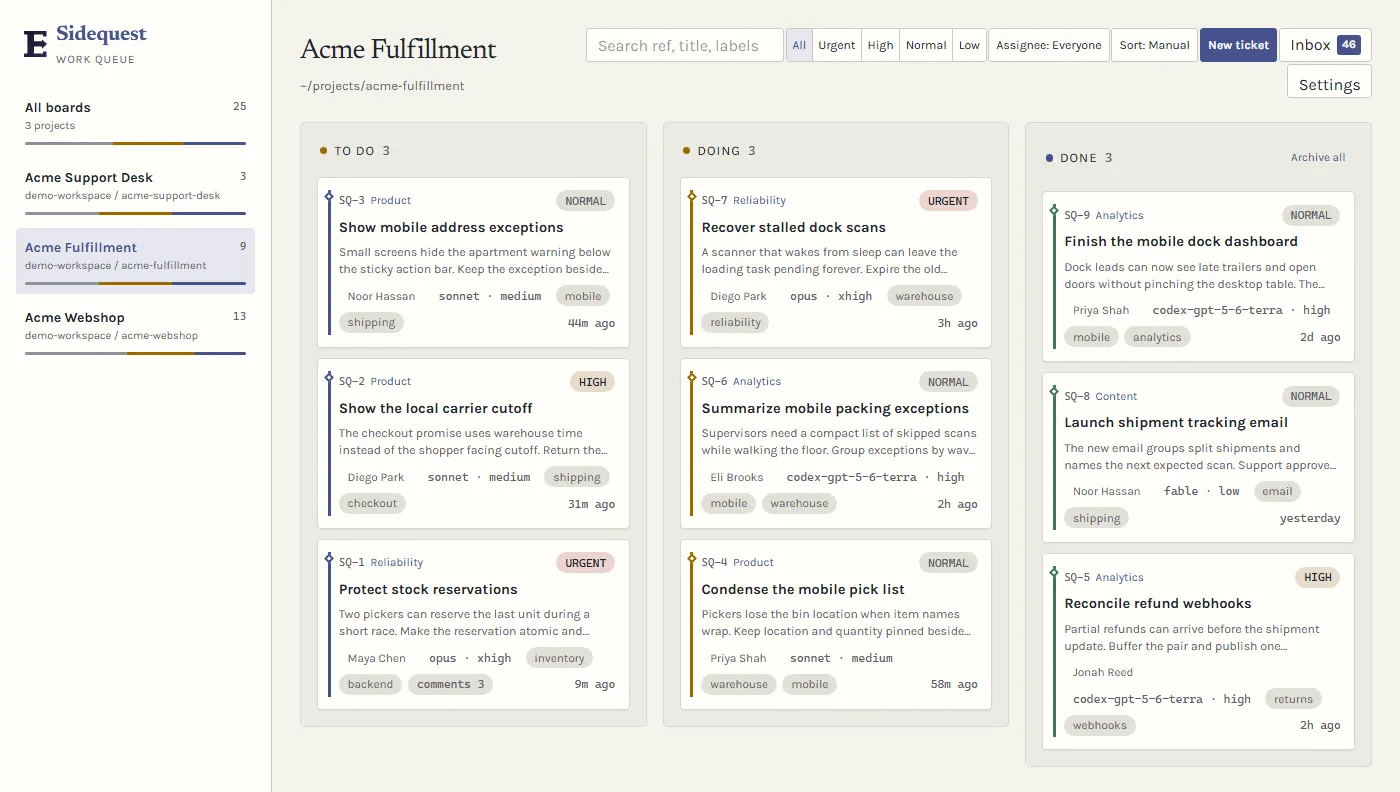
Synthetic demo data showing nine active Fulfillment tickets across todo, doing, and done.
The toolbar searches refs, titles, and labels, then combines that query with priority, story, assignee, and sort controls. Active filters stay visible, so you can tell why a card is in the result.
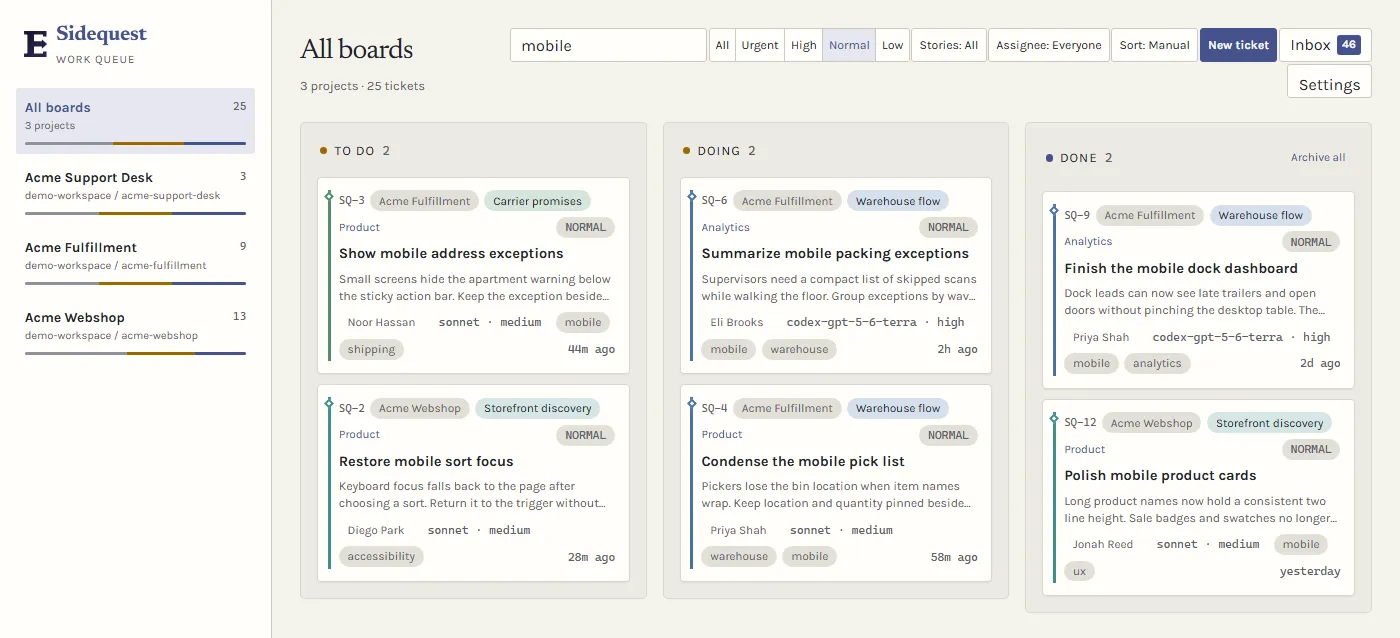
Synthetic demo data showing six mobile tickets narrowed to normal priority.
The inbox collects comments, reminders, ticket creation, and status activity across projects. Its tabs separate work that needs you from the wider activity stream. It keeps the newest 200 unread notifications from the last 30 days; set SIDEQUEST_NOTIFICATIONS_MAX_UNREAD or SIDEQUEST_NOTIFICATIONS_MAX_AGE_DAYS to change either bound.
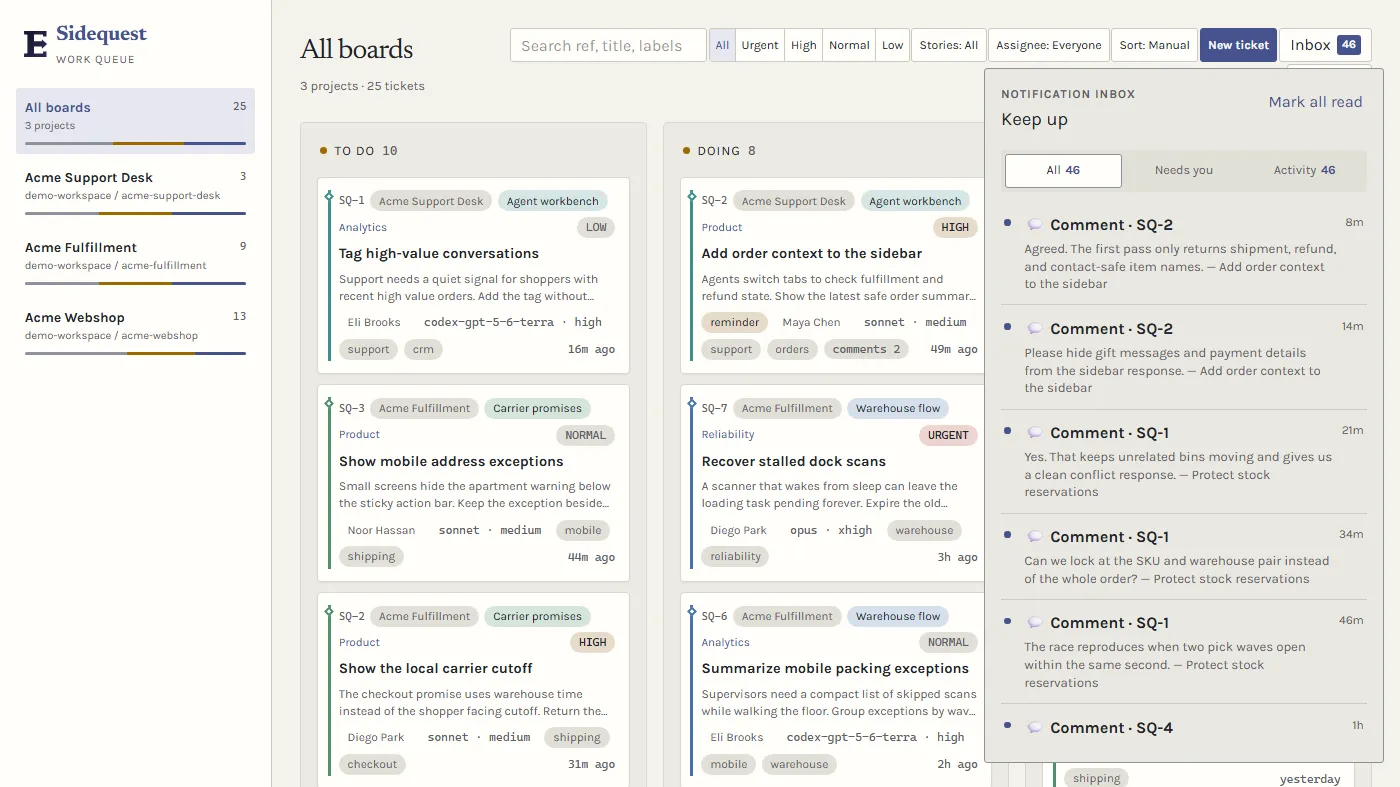
Synthetic demo data showing several unread comment notifications from different tickets.
Open a ticket to edit its fields and read the working context in one place. The detail view keeps a scheduled reminder, dependency links, and the full comment thread beside the ticket fields.
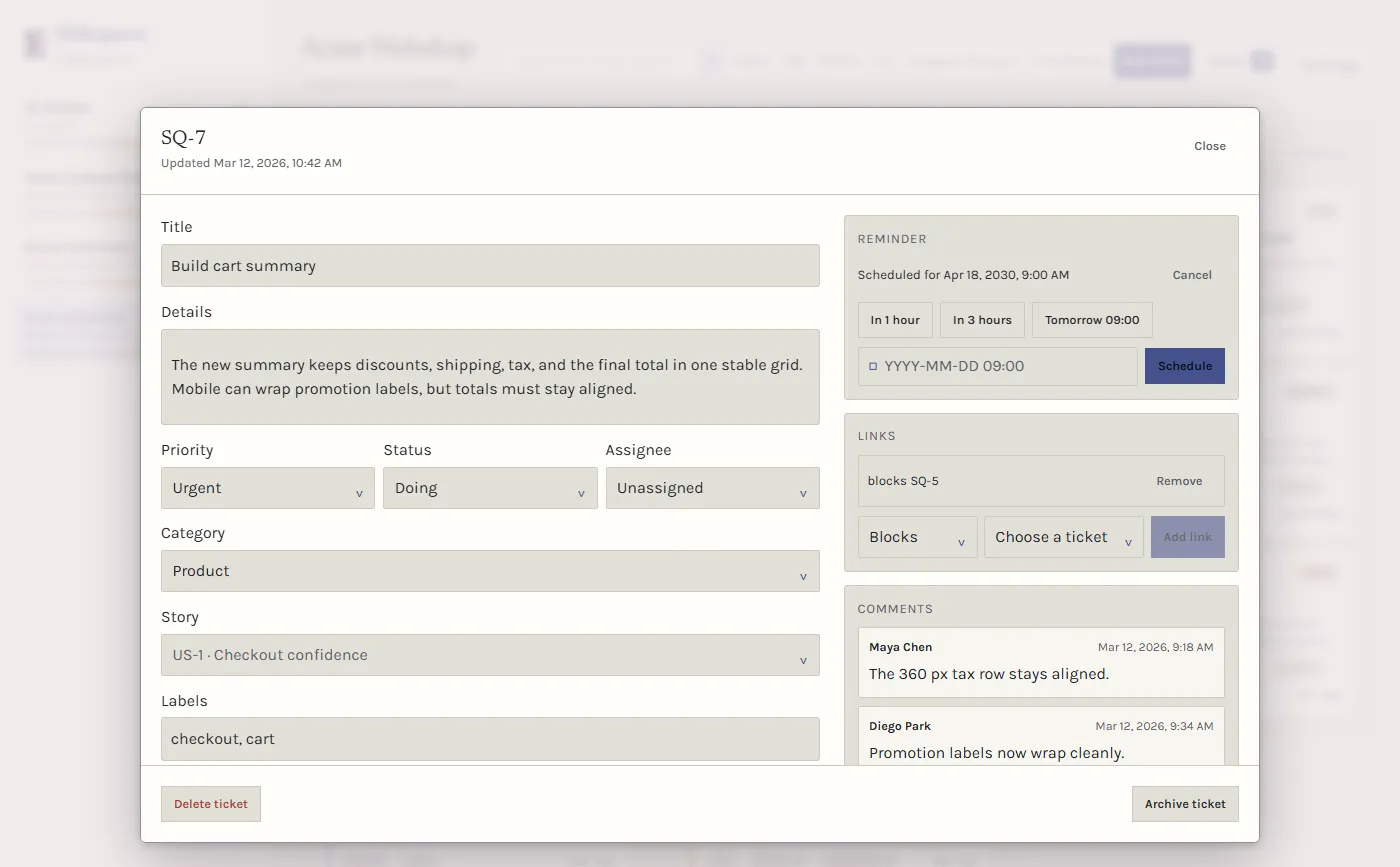
Synthetic demo data showing the Build cart summary ticket and its team discussion.
Stories group tickets into a plan you can filter and discuss before dispatch. The toolbar story filter keeps the story list visible while you scan the combined board.
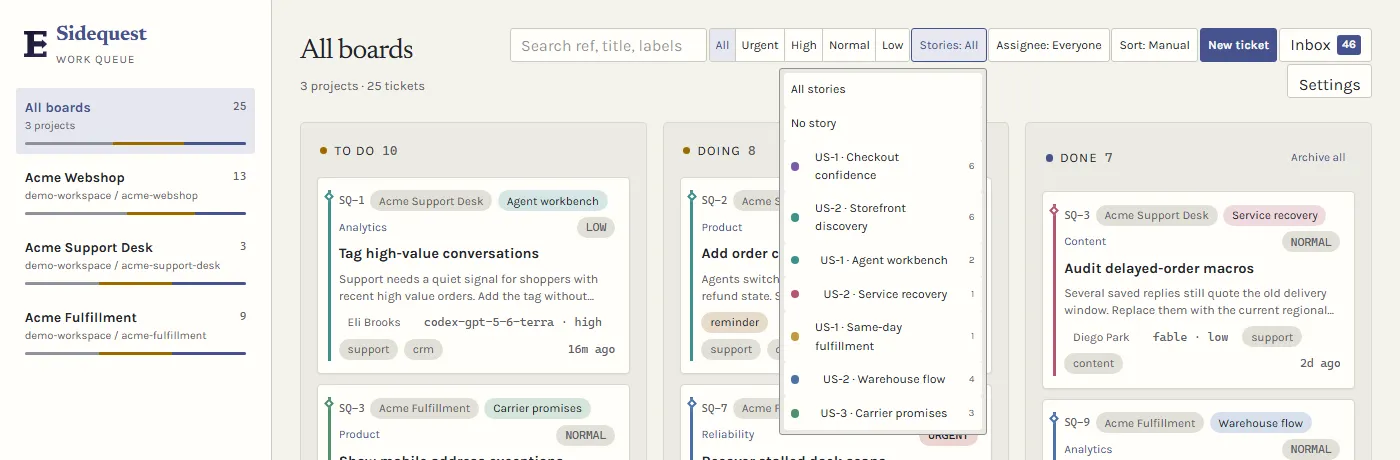
Synthetic demo data showing the Checkout confidence, Storefront discovery, and fulfillment story groups.
Links show which tickets block or relate to each other. Use the dependency list to inspect the existing chain, then choose a link type and target when you add another relationship.
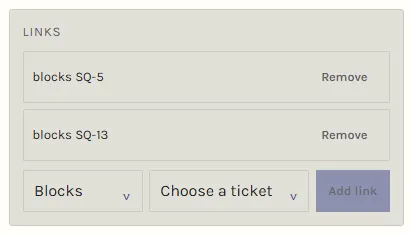
Synthetic demo data showing the existing and newly added dependencies for the Build cart summary ticket.
The lower ticket context keeps declared files, attachment previews, and the full discussion visible without putting the link picker over the comments.
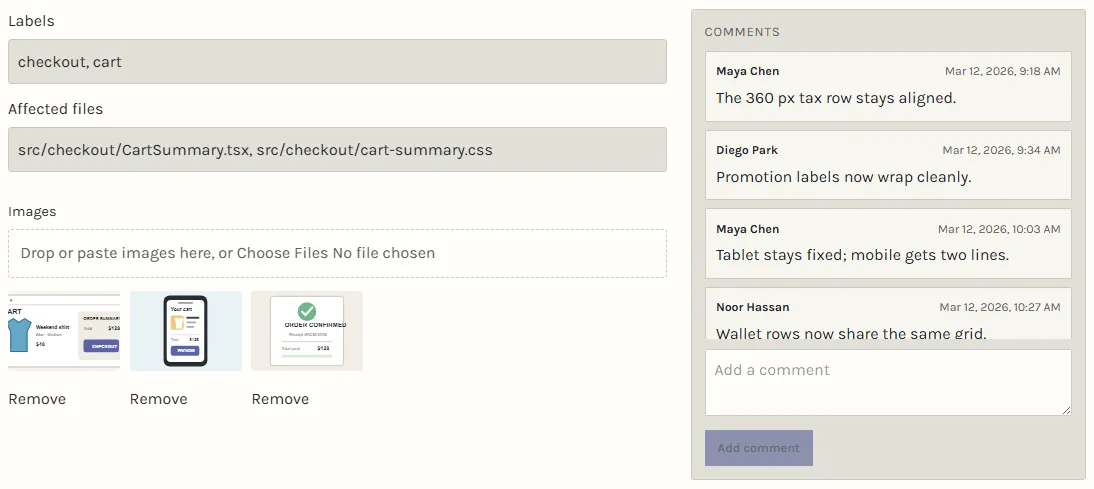
Synthetic demo data showing the declared checkout files, visual references, and team decisions attached to the same ticket.
Completed work can move into the archive without disappearing. The archive view keeps the source board, priority, age, and restore action with each ticket.
A whole board can be archived too (sidequest archive-board <board>, or archive_board over MCP), for example after a repository moves and gets a new board that numbers its tickets from SQ-1 again. Archiving moves the candidate refs its tickets recorded from refs/sidequest/SQ-n to refs/sidequest-archived/<board>/SQ-n, so the new board’s candidates can’t overwrite or build on them; restoring moves them back unless the new board already holds the name. The board’s own ref writes, and submit’s remedy for a mismatched pin, refuse to repoint a refs/sidequest/SQ-n whose commit the ticket never recorded, and name that commit and how to move it aside.
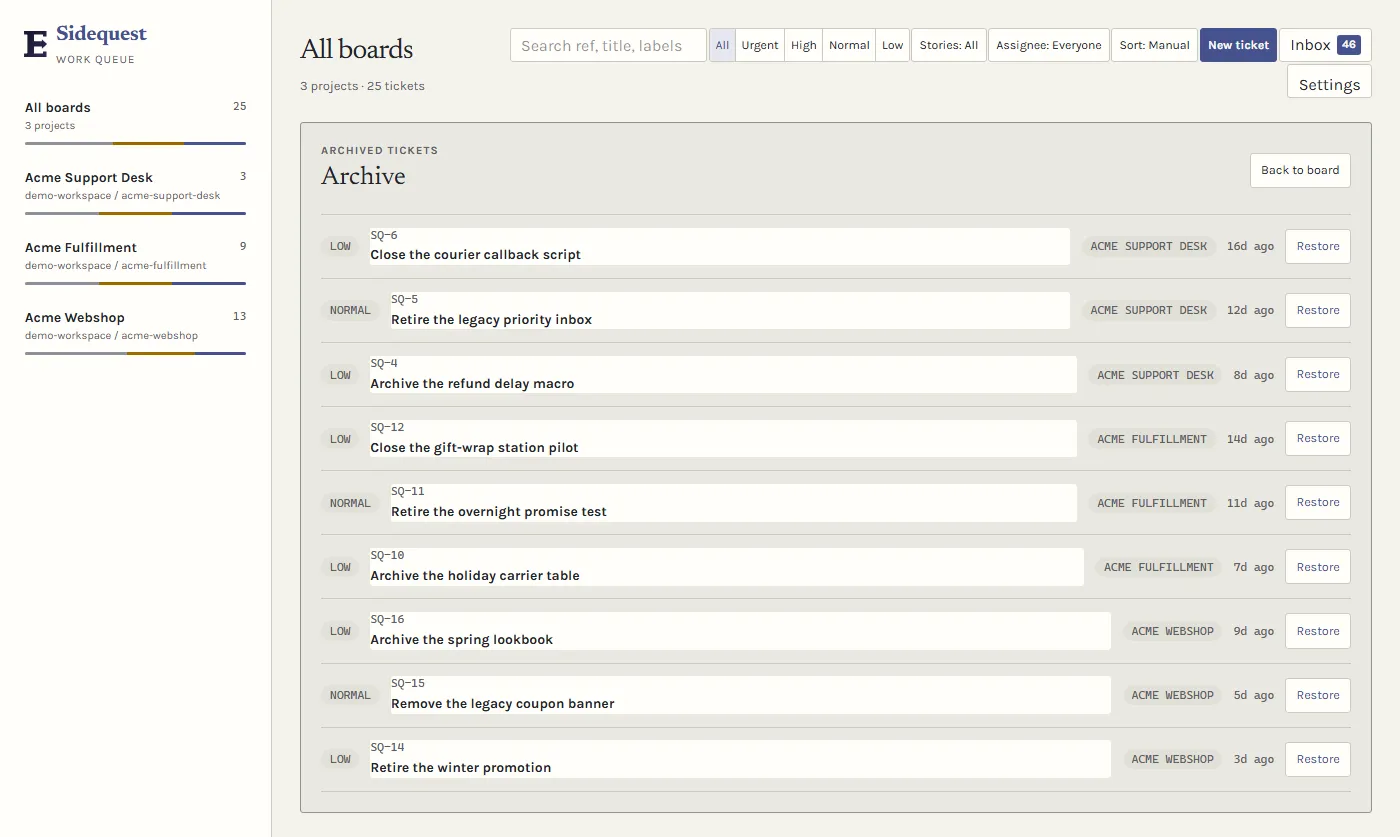
Synthetic demo data showing archived storefront, fulfillment, and support work.
Settings covers routing profiles, model fallback, theme, notification preferences, and the guided tour. Open it when you need to change how the board behaves rather than the work on a ticket.
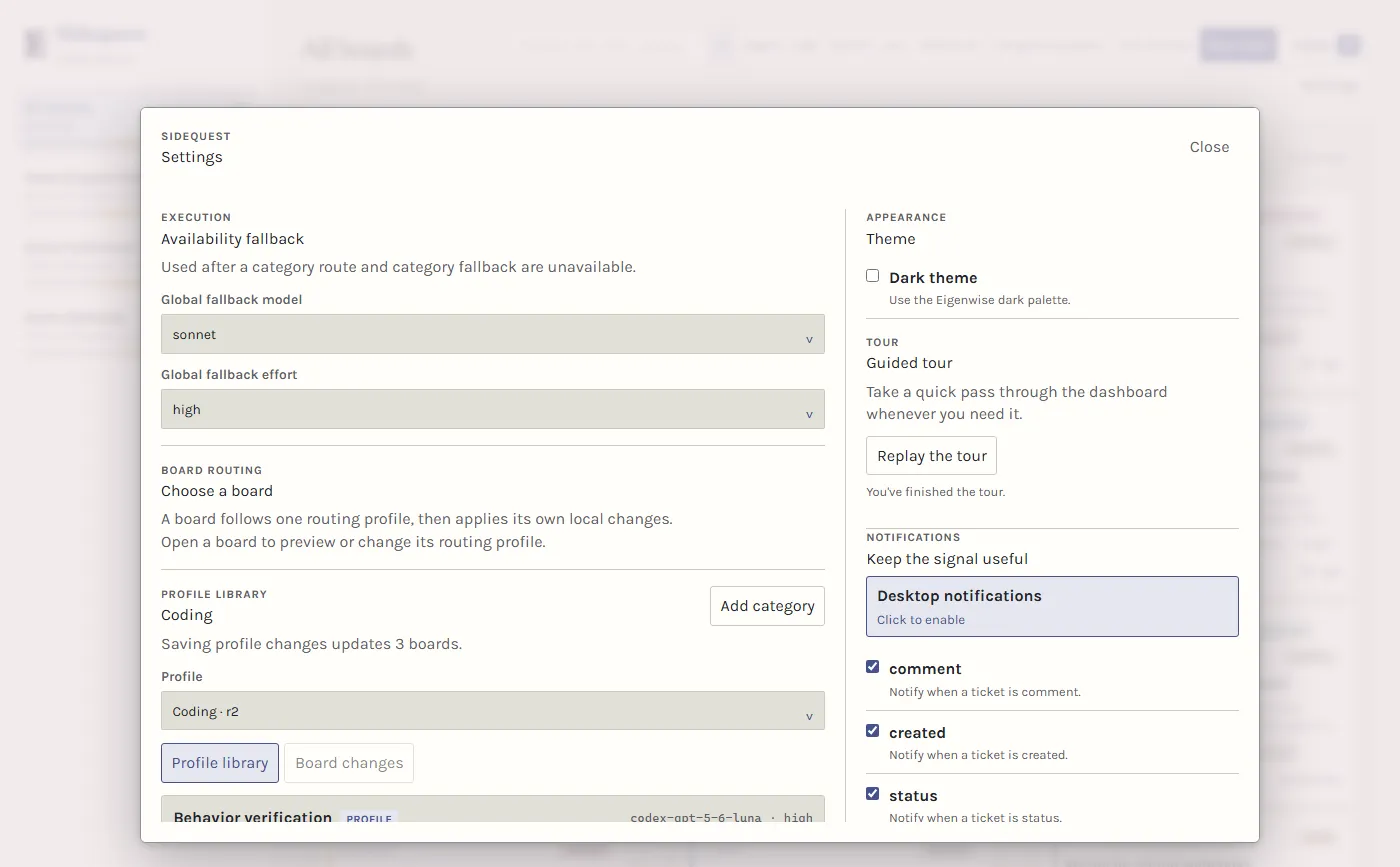
Synthetic demo data behind the Sidequest settings dialog.
Link tickets to GitHub or Jira
Section titled “Link tickets to GitHub or Jira”Tie a ticket to the issue it came from with refs:
sidequest add -t "Fix the empty-cart total" --refs GH-123 --refs acme/shop#45 ...Accepted forms are GH-123 or #123 (the repository needs a GitHub origin), owner/repo#123, a GitHub issue or pull request URL, and a Jira key such as SHOP-123. Jira keys only become links once you set the base URL with sidequest board-config --jira-base-url https://team.atlassian.net. Refs are deduplicated, update replaces the list, and refs: [] clears it. Full ticket reads show the links, briefings show the keys, and a release fragment with refs links the issue key in the changelog bullet.
To start from an existing issue, run sidequest add --github <issue-or-pr-url>. It reads the issue through the gh CLI, drops HTML comments and images from the body, and records the URL as a ref. Run gh auth login first if that fails. Refs only link the ticket to the issue; Sidequest does not write back to GitHub or Jira.
Daily use
Section titled “Daily use”The shipped coding profile defaults to medium effort for coding.hard, debugging, spike-investigation, and review-audit. Their models are unchanged, and board-local routing overrides keep their configured values. The effective category route controls dispatch, including provider-specific fallbacks.
Ask Claude to do the board work in plain language:
Show me the Sidequest backlog for this project.What is ready to dispatch for the checkout story?Add a ticket for the empty-state bug and include the reproduction steps.What is blocking the checkout ticket?Review and integrate the checkout ticket if its verification passed.
For 3+ independently checkable pieces, Claude can create a story with linked tickets after stating why separate owners help. Side issues that come up during a session can become separate tickets instead of disappearing into the current task.
Sidequest keeps ticket activity visible in the board. Ask Claude to check active work after a restart or when you need help with a ticket that was started in another session.
An executor can end a turn while still holding its claim. If its board-derived name fails, the original matching Claude session can send one continuation message to the authentic recorded dispatch.agentId, or the exact identifier returned by that original Agent launch. A claim holder label is never an address. If the original ID or session is missing or mismatched, continuation stays unverified and the claim/work are preserved. Your Pause retries decision stops retries. Queued/resuming messages alone don’t prove resumed work; the original executor must actually respond or act. Unknown, completed, absent, or failed-send host results don’t prove death or permit takeover. Terminal executors stay stopped. This guidance adds no automatic sends or recovery authority.
Executors share the orchestrator’s context window settings. Claude executors run at the full 1M window, and Codex executors are capped at 272k tokens because OpenAI bills input above that at 2x. The models tool output and the dashboard’s model pickers show each discovered model’s window next to it. To change the numbers, see Context window and cost in the Model Gateway guide.
CI watch alerts exclude completed runs marked skipped or neutral. Neither conclusion proves that the required checks passed; release verification still needs successful checks on the exact commit.
When Sidequest speaks up
Section titled “When Sidequest speaks up”You don’t have to ask for the board. On a project with a working board, Claude is told at session start that it has standing authorization to file tickets and dispatch them for multi-file changes, work at an unknown location, and investigations, without offering first. The first prompt that looks like a work request (a change verb like fix, add, or refactor, or anything longer than a greeting) gets a one-time reminder to ticket and dispatch. If Claude then keeps editing inline, a short nudge tells it to file the ticket and dispatch now. Edits, Bash, and PowerShell commands count toward that nudge; test and build runs (npm test, node --test, node -e, npm run build) and plain reads don’t. A board call quiets the nudge only until your next prompt. All of this is advice to Claude and never blocks a tool call. Quick one- or two-file edits at a known location, direct questions, and operational requests stay inline. Native Explore, claude-code-guide, and Plan agents can investigate without a ticket. General-purpose and custom agents can also run ticket-free when their prompt and description carry no write intent. Spawns naming ticket refs or Sidequest route markers, Sidequest executor types, and resumed denied write work still need a prepared dispatch.
In a git repository root with no board yet, that first work request gets one line instead: the first add creates the board and dispatch works right away through the default profile. Nothing is created until then, and temp folders, the Sidequest home, ~/.claude, and folders that aren’t a git root stay silent.
Adopting an existing exact composition
Section titled “Adopting an existing exact composition”If a released root needs to verify an existing commit that combines its own changes with pending source submissions, ask the main Claude thread to adopt that exact composition. Sidequest’s MCP update.admitComposition records current authority for the immutable commit. It leaves historical checkout ownership unverified, preserves the released dispatch and old proofs, and leaves the source tickets unchanged.
Claude first requests a write-free snapshot, then retries with the root’s released generation and each source’s exact submission and authoritative review/correction snapshot. Every commit from the original base to the candidate must belong to a complete named source range or to the root’s declared own changes. Hidden commits, another ticket’s recorded work, changed source state, and root changes outside its original scope refuse adoption.
A new isolated native checkout starts at the candidate; the original base remains the submission floor. The grant belongs to one fresh dispatch, with its own attempt, timestamp, and nonce. Claude still needs ordinary controls, fresh verification output and capture, a full-range submission, independent review of that exact candidate after submission, and normal delivery. A later dispatch cannot replay the consumed grant, and live-claim recovery won’t re-mint the root’s token either: the executor holding the claim keeps its existing token and checkout. Shared-tree execution and old proof artifacts cannot supply the new verification. The adopted root integrates on its own, never inside a multi-ticket wave, and a source review that changes after the grant blocks its next claim, capture, submit, or delivery.
Boards in sibling repositories
Section titled “Boards in sibling repositories”If you run one session from a parent directory holding several independent repos, each registered as its own board, an executor working a sibling repo’s ticket doesn’t have to name the board on its lifecycle calls. Sidequest resolves the board from the executor’s own binding: a call that carries a worktree (commit, submit, checkpoint) is matched to the worktree its dispatch reserved for it, and a call without one (comment, release, done, plan, scope requests) is matched to the claim owner named by by. Reads that carry neither, like pulse, stay on the session’s own board, so the executor briefing tells executors to pass project on every call. Nothing else selects a board, so a caller without a claim stays on the session’s own board and gets that board’s usual refusal. Passing project explicitly still wins, and two boards that both fit the same binding are refused by name rather than picked for you.
The parent directory doesn’t have to be a git repo. An isolated dispatch’s worktree is cut from the ticket’s own repository even when the session is rooted in a plain folder. The one case Sidequest can’t resolve is a session that holds live isolated dispatches on two boards at once, because the worktree hook is told a session and not a ticket; dispatch refuses that up front and names the other board, so let those finish first.
Choosing dispatch isolation
Section titled “Choosing dispatch isolation”Boards default to isolated worktrees. Setting worktreeIsolation:false makes omitted dispatch
requests use the registered checkout. For one isolated task on that board, pass sharedTree:false
to MCP dispatch or --no-shared-tree to CLI dispatch. The explicit request wins over the board
default and refuses before issuing a token if isolation is unavailable, including a non-Git project.
Omitted requests keep the existing warning and shared-checkout fallback when isolation is unavailable.
Redispatch preserves an explicit isolation request when you omit sharedTree. Pass sharedTree:true
(or --shared-tree) to clear it. The recorded dispatch decides close-time worktree cleanup, so an
isolated override still gets cleaned up on a shared-default board.
Making isolated worktrees buildable
Section titled “Making isolated worktrees buildable”A fresh worktree only has what git checks out. Anything gitignored, like node_modules, a .venv, or real env files next to their committed *.example twins, is missing. The board setting worktreeDependencyPaths fills that gap when each worktree is created, and worktreeSetup runs one command afterwards. Each entry is { path, mode }, with path relative to the repo:
copycopies a file or a directory from your checkout into the worktree. It works on tracked paths too: a copied directory merges into the one git checked out, and any file in it takes the version in your working tree, not the committed one. So{ "path": "env", "mode": "copy" }brings in the gitignoredenv/api.envbeside the trackedenv/api.env.example, and{ "path": "env/api.env", "mode": "copy" }copies just that file. If you have uncommitted edits to a tracked file under a copied path, the worktree starts with them too.linkpoints the worktree at your checkout’s directory instead of copying it. It only fills a path git leaves absent, so use it for untracked directories likenode_modules; a tracked path or a single file is refused with a pointer tocopy.- A sibling checkout outside the repo, like a Cargo or npm
pathdependency on../store_rust, is written{ "path": "../store_rust", "mode": "link" }. The link lands beside the worktree, in the worktree root every worktree of this board shares, so the same relative path resolves from inside any of them. It can leave the repo by one level only, and it’s never removed with a worktree.copyis refused outside the repo, since that copy would be shared and never cleaned up, and absolute paths are refused because every worktree has to find the dependency at the same relative spot.
The wave gate applies the same entries to the checkout it verifies in, except a copy there never overwrites a file the candidates carry.
Some build tools refuse a linked node_modules. Next.js 16 builds with Turbopack by default, and Turbopack stops with Symlink [project]/node_modules is invalid, it points out of the filesystem root because the link leads outside the worktree. Use { "path": "node_modules", "mode": "copy" } for those projects. On macOS the copy is an APFS clone (cp -c), so it takes seconds and shares disk blocks with your checkout; elsewhere, or on a volume that can’t clone, it’s a plain copy. Links inside the copied directory keep their relative targets, so they still resolve inside the worktree. The sweep counts the copy, links included, as install content and deletes it with the worktree instead of quarantining it.
A Docker/browser project with one shared environment
Section titled “A Docker/browser project with one shared environment”For a project such as Contractify, keep implementation isolated and run its Docker/browser gate in the checkout the app actually serves. Ask Claude to configure the board with:
worktreeIsolation: trueverifyEnvironment: shareddelivery: mergeintegrationBranchequal to the branch checked out in that shared checkoutintegrationVerifyTimeoutMsat least as long as the measured gate duration
The pinned gate must include any app rebuild/restart needed to serve the merged code and container teardown. Confirm the served checkout and branch, measure the gate time, and check that the app does not write tracked files. A broker such as dockerd is outside the owned client process tree.
Executors use their own worktrees, run environment-free focused checks, commit and submit deferred evidence. Claude backgrounds CLI integrate, which merges onto the current tip and runs the gate under the delivery lock. The next lane item waits for that run to finish. A failure rolls back and returns the ticket for rework once; Claude decides when to dispatch it again.
A per-worktree environment is a separate project opt-in through worktreeSetup: keep
verifyEnvironment: isolated, provision each worktree’s environment there, and make its verifier use
that worktree’s ports, database and volumes. It costs concurrent Docker/browser resources, so choose
it only when the project can afford that load. Sidequest does not create those environments by default.
Reaping services an executor started
Section titled “Reaping services an executor started”Executors run inside your Claude Code process, so a dev stack or watcher an executor starts in its worktree sees your session’s pid as its owner and outlives the executor. When an executor stops, Sidequest writes sidequest-dispatch.json into that worktree’s private git directory (find it with git rev-parse --git-path sidequest-dispatch.json inside the worktree; git never shows it as a change). It holds ref, sessionId, the executor’s own agentId, the dispatch outcome, terminalAt, and stoppedAt. A project reaper can tear down a worktree’s stack once terminalAt is set. A stoppedAt with a null terminalAt means the executor paused while still holding its claim and may resume, and a stack started after stoppedAt belongs to a later run in the same worktree.
A ticket with workingTreeDelivery runs in the board’s registered checkout, never in a linked worktree. Dispatch’s worktree argument only names a resumed executor’s checkout during live-claim recovery, so passing it anywhere else is refused up front instead of producing a lease the executor can’t write through. To deliver from a worktree, drop workingTreeDelivery and let the ticket run isolated and submit a commit.
Read-only reports
Section titled “Read-only reports”Use Sidequest for independent candidate reviews, repository audits, and shortcut debt scans. They use the existing read-only review route and only report findings.
An explicit per-ticket route can use a different provider when the ticket is effectively readonly. It leaves the category route alone; writable tickets stay with their category’s provider.
Dispatch keeps its spawn prompt short: task label, worktree base, and the briefing fetch command. The executor reads the full description, declared files, and anchors from that token-gated briefing before starting work.
When a category’s route can’t run right now (ChatGPT sign-in missing, gateway readiness unavailable, the model gone from the catalog), dispatch uses the category’s own fallback, even when that’s a Claude model. The dispatch result’s fallbackReason and the executor briefing both say which fallback ran and why the primary couldn’t, including the gateway’s login or setup command. That choice happens once, when the dispatch is prepared: if the provider drops out after that, the prepared executor still claims on the route and effort its briefing named, and only the next dispatch falls back. The global fallback never crosses providers, so a Codex category with no fallback of its own is refused with that same reason. A discovered model whose provider isn’t served by Model Gateway (anything but Codex or Grok) still runs as its own id, but Claude Code’s Agent tool only takes sonnet, opus, haiku, or fable as a model. So Sidequest writes executor definitions named sidequest-exec-model-<slug>-<effort> (plus -readonly-model- twins) into your user agents folder, each pinning the full id, and spawns them with no model. Only the model and effort pairs some category route or fallback actually uses (on any board on this machine) get a file, and the -readonly-model- twin only exists for readonly categories. Session start writes those and removes the rest, so changing a route swaps the files. A dispatch that routes somewhere no category does, like a ticket route override, writes its own file right before the spawn. Your own agent files are never touched.
- An explicitly assigned readonly advisor can discuss a bounded architectural/feasibility question directly with its builder through available native messaging and inspect authorized source snapshots while implementation and tests proceed. Its ticket names paths, limits and budget; findings record the actual inspected hashes. Moving-draft advice never accepts a candidate or releases ownership. Claude selects a suitable live category without changing profiles and reports missing messaging/category support. This does not permit arbitrary source peeking or self-review.
- A candidate review starts from the submitted ticket and its immutable candidate, never a working tree. Ask Claude to bind the review to that submission. Final review reuses byte-identical inspected material, checks the settled delta, unresolved findings and real execution identities, and consumes genuine compatible capture evidence without rerunning a suite merely for reviewer identity. Existing exact candidate and independent-review guards still decide acceptance.
- A repository audit names the directory or subsystem to inspect. It reports concrete delete, reuse, standard-library, native-platform, YAGNI, and shrinking opportunities with source locations. It does not edit code.
- A shortcut debt scan reads source comments, including
whittle:markers. Each result gives the file and line, known ceiling, observable upgrade trigger, and replacement. A missing ceiling or trigger remains a finding.
These read-only reports work independently. If Sidequest is not installed in the host, Claude reports that the routed capability is unavailable. Observability can show absolute measurements, though gain stays unmeasured without a matched baseline. Static headline figures and private workflow data do not prove a gain.
Read-only executors run in your session’s own permission mode. They don’t ask for bypassPermissions, and Claude Code ignores permissionMode in plugin agent files anyway. They keep Bash so a review can run the suite, but Sidequest refuses the shell write forms inside the checkout they run in: redirects like echo x > file, rm, mv, touch, tee, sed -i, and git commands that change the repository. Scratch files and evidence go outside the checkout, including your scratchpad and the system temp directory. The guard keeps quoted text and inline program bodies out of its write targets, and skips content option values such as -Encoding utf8. Git mutations remain refused even outside the checkout. That guard reads the command text, so a script can still write; if you need a hard boundary, keep your session out of bypass mode.
Denying tools to executors
Section titled “Denying tools to executors”Ask Claude to set deniedTools on the board (board_config) or on one category (category_edit). It takes tool names like Agent or WebFetch, or an MCP server prefix like mcp__claude-in-chrome for every tool on that server. Any executor on that board, or working a ticket in that category, gets refused those tools when it calls them, write executors included. readOnlyDeniedTools still applies to read-only executors only. The Sidequest board tools can’t be denied, since executors need them to claim and close. The denial happens at call time, so the tool’s schema still sits in the executor’s context.
Investigations that leave evidence behind
Section titled “Investigations that leave evidence behind”For a sweep across outside systems, such as Slack and Jira, use the research.evidence category. It is on both starter profiles, runs on sonnet/medium with an opus/high fallback, and is read-only for the repository: the executor can write files only under the folders Sidequest admits for it, and closes with done instead of a commit.
Those folders are the ticket’s own dispatch evidence directory, a shared evidence folder for the story the ticket belongs to, and any path you list in investigationDataRoots on the board config. Ask Claude to set that key to absolute paths that already exist and sit outside the repository, for example a folder for customer documents. The key is per machine, so it isn’t a category setting. The evidence executors are a separate sidequest-exec-evidence family. Like the read-only executors, they inherit your session’s permission mode, so outside a bypass session their file writes prompt.
If a run is about to hit its budget, the executor records a checkpoint with a resume cursor and the evidence files saved so far. The next dispatch of that ticket starts from them.
These executors also have a default MCP write guard: any MCP tool whose name ends in a write word (send, post, create, edit, update, delete and similar) is refused. Setting readOnlyDeniedTools on the board config replaces that whole list, and an empty list turns the default off.
A worked example:
- You ask: “Find every discussion of the export timeout in Slack and Jira over the last quarter and tell me what’s driving it.”
- Claude files two
research.evidencetickets, one for the Slack sweep and one for the Jira sweep. Each writes an inventory with one row per hit (source id, channel or ticket, date, author role, why it matters) and saves linked files, skipping any file whose sha256 is already recorded. - Claude files a third ticket that depends on both. It reads the inventories from the story’s evidence folder and writes the findings, with company names allowed and individuals’ names left out.
- If the Slack sweep runs out of budget, it checkpoints a cursor, and the redispatch continues where it stopped.
If something stops working
Section titled “If something stops working”The board does not open. Reload Claude Code after installing Sidequest, then ask Claude to open the board again. If the browser still does not open, ask Claude to start the Sidequest dashboard and report its local URL.
Claude reports an older loaded Sidequest after an upgrade. Reload plugins or start a new session to pick up the current connection and packaged executor roster. Unknown versions, schema changes, and incompatible older loaded versions refuse dispatch until reload.
A plain Agent spawn is refused. Sidequest denies generic Agents in favor of ticket executors, and the refusal says what it found. If it says the project has no install, dispatch would refuse too: run claude plugin install sidequest@eigenwise-toolshed --scope project from that project, then reload plugins. “No Board MCP server has recorded itself” or “has exited” (with its pid) means the board server really is gone for this session: run /mcp and reconnect plugin:sidequest:board, or restart Claude Code. A new session id from /clear, a resume, or compaction does not count, because the server records itself by process and project. The same server also follows the new id for dispatch and every other board call, reading it from the record Claude Code keeps for its own process, so you don’t need to reload plugins after /clear. If the liveness markers can’t be read, the refusal says the state is unknown rather than down.
SessionStart reports a background worktree sweep. Starts from the same project share one sweep, including claim maintenance. SessionStart waits up to 2.5 seconds for it; the detached worker has a separate 60-second limit that ends its owned process tree. A later start collects its notices and can retry unfinished cleanup. Equivalent Windows project path spellings share that ownership too. If owned cleanup cannot be confirmed, automatic sweeps stay paused and report that the recorded ownership needs reconciliation. On Windows, first-use compilation of the native process owner has its own finite startup limit before the worker deadline begins. Other projects have their own handoff ownership, while worktree mutations still use the shared sweep lock.
A session gets no Sidequest briefing at start. Only an orchestrator gets one: a session whose project has a registered board. A project with no board, or a session launched as a Sidequest executor (--agent sidequest-exec-* or SIDEQUEST_AGENT), gets no orchestrator block, though sweep and reload notices still show. The first board call registers the project, so the next session is briefed. SIDEQUEST_NUDGE=off still silences it everywhere.
Claude says an executor is missing. Update Sidequest, reload plugins in the affected session, and ask Claude to dispatch again. Do not create replacement agents or disable the dispatch guard.
Claude’s Agent tool rejects name or mode. Ask Claude to inspect the Agent schema it can see, then use Sidequest’s reduced-schema dispatch only when those two fields are absent. Sidequest keeps the board label separately and refuses the first claim unless the host hook reports the real agent identity and a permission mode the executor can actually finish under, which is auto or bypassPermissions. A reduced-schema executor inherits the mode of the session that spawned it, so this is a fact about your host, not a setting to change: if it reports something else, use a host that reports one of those two instead of adding unsupported fields or editing your permissions.
A ticket will not dispatch. Ask Claude to diagnose the ticket. Common causes are an incomplete work description, a blocked dependency, or an unavailable configured route. Claude reports the specific recovery instead of silently changing the work’s route. A refused dispatch leaves the ticket’s current token working, so the executor that already holds it keeps running: Sidequest only replaces the token once the new dispatch is saved. For a non-Git project it also captures the filesystem snapshot before the final checks, and a project registration change rejects that capture rather than recording it. That snapshot is bounded by a path count, a byte total, and a wall clock, and it refuses with the limit it hit instead of hanging. The walk never counts .git, node_modules, .next, dist, build, target, .venv, vendor, or what the root .gitignore excludes, and a cap refusal names what it skipped and which top-level folders held the paths it did count. A deadline refusal names the file it was reading when the clock ran out, which is the whole diagnostic when a sync client or network share is the thing blocking. A board registered before its folder (or a parent) became a Git repository moves to the Git adapter on its next dispatch, and that dispatch’s warnings say so. A third dispatch after two durable terminal no-commit rounds is blocked by default, on the theory that an unreadable environment reproduces the same failure every time; overriding it takes an explicit allowRepeatFailure (CLI --allow-repeat-failure), and taking that override is recorded on the ticket.
A dispatch or release says the ticket changed while it was reading checkouts. Dispatch and release run their Git checks under the ticket’s own lock, before they take the board database’s write lock, so a slow git status in one project can’t stall writes everywhere else. They then re-read the ticket and only write if nothing moved. If something did, nothing was written: read the ticket again and retry if it still applies. Those two writes also refuse to start a child process or wait on any lock file while they hold the write lock. If one ever tries, it fails with WriteLockHeldError and rolls back, which is a Sidequest bug to report rather than something to retry. A retired checkout is only removed after the new dispatch is saved, and right before removing it Sidequest checks again: if a commit landed in it or its branch moved since the dispatch looked, the checkout and branch stay. If the removal fails the dispatch still stands and its warnings name the checkout that was left in place; if the checkout went but deleting its branch failed, the warning says the branch was kept. The next dispatch checks it again.
An executor died before it ever claimed its ticket. An API error at launch, a refused first claim, a failed or cancelled worktree setup, or an Agent call that came back without a claim all leave the same thing behind: a dispatch nobody holds. There’s no claim to release and nothing for TaskStop to stop. Tell Claude what the host reported. The session that spawned the executor retires the dead attempt right away with that failure text as recovery evidence, then dispatches a fresh one or closes the ticket. A different session, say after a restart, can’t see the failure, so it waits out the retirement deadline the refusal prints (15 minutes after the last sign of life, or the hour-long backstop while worktree setup never finished). If the stop hook already marked the attempt failed, the same request just prepares the replacement.
Work landed but the ticket won’t close. When an executor released (for example as a technical blocker or a handback) and you committed or cherry-picked its change yourself, there’s no submission for integrate or done to consume. Close it with groomClose and the landed commit as the delivery commit, delivery method manual, once that commit is on the recorded integration branch. For a cherry-pick, that’s the cherry-picked commit, not the executor’s original.
An unscoped executor could only write docs/. Older builds gave a write ticket with no declared files, dispatched with allowUnscoped, only the board’s alwaysInScope paths, so a repo with a docs/ folder quietly scoped the executor to docs/ and nothing else. Now allowUnscoped gives the executor the whole tree, and the dispatch result’s writeScope and the briefing say so in one line, for example write scope: unscoped (whole tree), always-in-scope: docs/. A whole-tree scope needs an isolated worktree, so an unscoped dispatch that would run in the shared checkout is refused at dispatch; declare the paths the ticket needs instead.
Destructive Git is refused in a dirty shared checkout. The refusal lists dirty paths and gives a named-stash command followed by sidequest recover-shared. The project path appears only in the recovery command, leaving room for that guidance under long Windows temp paths within the hook’s 768-byte output budget. An unregistered evidence clone stays outside this shared-checkout guard. This guard fails closed: when it can’t run its own git check, it refuses the command instead of letting a reset or push through unchecked. It only starts git once the command text names a destructive, tagging or pushing invocation, and asks each directory for its repository once per session.
A legitimate recursive delete gets refused. Sidequest blocks a Bash or PowerShell command that recursively deletes the user profile or the .claude root, even inside a real cleanup. A home-relative target such as ~/repos/app/build or $HOME/repos/app/build is judged by where it resolves, the same as its absolute spelling, so only the profile, .claude, or a parent of either is refused. Point the delete at a specific project or scratchpad path instead.
Read-only dispatch and report closeout. A read-only ticket, or an unscoped investigation declaring no repository writes, may dispatch into the shared checkout without whole-tree write scope. A dispatched executor that made no commit and has no dirty declared path or pending submission may close with done carrying its report. Actual repository changes still require commit and submit. The inline-work hook gives at most one advisory per session after 25 substantive actions, and skips reads and verification commands.
A read-only ticket cannot start in a new repository. Claude reports the checkout choice and keeps the ticket read-only. You do not need to commit notes or change board settings.
A worktree-isolated executor cannot write. Ask Claude to redispatch if the recorded checkout is missing or does not match the assigned checkout. Executors launched together can each be recorded against the other’s checkout, whatever their executor types. The claim corrects this: when an executor claims with its own dispatch token from inside its checkout, its ticket is leased to that checkout, and the claim result names the corrected path. The claim does not move a checkout that a sibling has already claimed. If both siblings already claimed, the orchestrator can still correct each ticket. It dispatches with recoveryEvidence, claimHolder, and the executor’s real worktree. When the two claims were launched together, hold exactly each other’s checkouts, and neither checkout has another ticket’s commits, the rebind swaps the two records, so both executors can write. Otherwise the rebind is refused while another live ticket holds the checkout and the checkout’s HEAD is not this claim’s own commit, and the refusal says to release the ticket with kind handback. A release made from the executor’s own checkout keeps that checkout for the next dispatch. A redispatch never resumes a retained checkout whose commits belong to another ticket. It gets a fresh checkout instead. An executor that stops before it claims never ends a live sibling’s ticket: while a sibling launched with it has not claimed yet, Sidequest waits for that claim before it marks the stopped executor’s ticket failed. The same holds when an executor’s checkout creation fails, or when Claude retires an unclaimed executor with recovery evidence: while a worktree-isolated sibling launched with it on the same board has not claimed, no checkout is removed and the sibling’s ticket stays claimable, and the sibling’s claim is still leased to the checkout it runs in.
An executor reports that its checkout is not the one its ticket is bound to. When one of the two checkouts belongs to another live claim, commit, submit and the verification wrapper refuse and name that other ticket and its claim holder, rather than sending the executor into a tree a different agent is working in. Nothing the board diffs in the bound tree would be this ticket’s work, so treat the refusal as a crossed binding. The fix is the rebind described above: when the two claims were launched together and hold exactly each other’s checkouts with neither carrying another ticket’s commits, that rebind swaps the two records onto their own checkouts at once, with nothing to commit first. Otherwise, the executor commits its work in the checkout it runs in and pins that commit at refs/sidequest/<ref>, so the checkout’s HEAD is its claim’s own commit. Then Claude rebinds the live claim to that checkout with recoveryEvidence, claimHolder, and worktree. If the executor has no exact crossing to swap and no commit to pin, or the rebind is refused, the executor releases the ticket as a technical blocker with any commit hash recorded. Claude then redispatches the ticket onto a checkout of its own and salvages that commit by hash. A start callback for a checkout a live claim already occupies is refused the same way, so a second executor is never handed an occupied tree. Retiring or recovering a crossed attempt also never removes a checkout that another live claim references. That checkout stays with the live claim, and the replacement attempt gets a checkout of its own.
A ticket’s project is a different repository from the current session. An isolated dispatch now cuts its own worktree from the ticket’s project and verifies there, not from the session’s checkout, so this works across repositories. It only refuses when the same session already has isolated dispatches open on two different projects at once; that case names the conflict and the remedy.
Work looks stuck in doing. Ask Claude to inspect the ticket’s current status and executor activity. Sidequest keeps the intended integration branch that was frozen at dispatch, even if you later change branches or the board default. For two feature branches, name the intended target on each ticket instead of changing that board-wide default between dispatches. Read-only and write isolated tickets use the recorded integration branch under the board’s worktreeBase policy, including local-main and origin-main overrides. The dispatch result, spawn prompt, and briefing name the base commit and branch. A bound review still starts from its candidate commit.
A ticketed helper is refused while writing verification evidence. Only the ticket’s active owner and helpers admitted through that owner’s recorded identity can write the ticket’s exact board-owned evidence directory. Helpers cannot use another ticket’s folder or a lookalike path. Ask Claude to inspect the ticket binding, not to request repository scope.
A submit names a dirty path the ticket never declared. A dispatch enforces more than the ticket’s files: its own release fragment, tracked build outputs paired with declared sources, and the board’s alwaysInScope paths (docs/ by default when the repo has one). The dispatch result lists those as boardAddedFiles and the executor briefing lists them under their own headings, so you can tell a board-added path from a declared one. A board path that already holds one of the ticket’s declared files is left out: a ticket declaring docs/tools.md gets that file, not all of docs/. To stop a board path being added at all, change alwaysInScope in the board config.
Scope requests are answered differently for two tickets. A scope request is auto-approved when the path sits in the same package surface (the first folder under a package root, like src in plugins/sidequest/src) as a file declared by any ticket in the same story, so two story members asking for the same path get the same answer. A ticket outside a story uses only its own files. Protected paths (manifests, CI, release, credentials) and globs are never auto-approved. A refusal comment says why each path missed, for example package surface frontend/apps/web/lib matches no declared file in this ticket's story.
A declared file outside the repository is refused. A ticket that declares an absolute path outside the repo for non-repo output can write that exact path; the write guard matches it as declared. scopeRequest still refuses paths outside the repo, so declare them on the ticket instead.
Stale agent worktrees keep accumulating. Ask Claude to inspect local worktree storage and clean up entries it can safely remove. Storage is reported per directory with a total, so a directory quietly growing to tens of gigabytes is visible. A manual sweep reports each candidate while it classifies it, including its count and skip reason, and can walk every registered project in one run instead of only the one you have open. Cleanup classifies in this order: status_unknown keeps; tracked_changes keeps; ticket_closed_settled removes a tree whose ticket is done, archived, removed, or released, whose cleanup lease is granted (an unknown, replaced, unregistered, locked, or live checkout goes on to the reasons below instead), and whose HEAD is on the integration branch, in refs/sidequest/<ref> (never for a released ticket, whose continuation resumes there), or at its dispatch base, at any age and even while it holds gitignored build output such as .next, coverage, node_modules, or tsconfig.tsbuildinfo, as long as git lists every ignored entry as a file; a tracked change keeps it, and an untracked file that is not ignored or a gitignored nested repository sends it on to the reasons below; too_young keeps for 3 hours; upstream_ambiguous or upstream_unavailable keeps; untracked_recent keeps, while untracked_quarantined moves a tree holding untracked or ignored content older than 7 days whole into quarantine; ticket_archived, ticket_done, branch_reachable, and patch_equivalent remove; commits_on_branch removes the tree and retains its branch; not_integrated_salvage salvages work older than 7 days; then not_integrated keeps. Quarantined work is parked for 14 days and removed on age alone; nothing younger is ever deleted, and entries under a live claim are kept. Nothing is deleted where it stands: a reclaimed tree is renamed into quarantine, and content that was there when the sweep classified it, or that arrives before the move, parks the whole tree. A tree counts as clean only when its status carries nothing untracked or ignored (ignored content counts, including a gitignored nested repository; the one exception is installed files under an ignored node_modules, which worktree setup regenerates, including one reached through a link that resolves inside the tree, such as the node_modules/.bin entries an install writes, and every link inside a node_modules that worktreeDependencyPaths copied in; outside such a copy, a link under node_modules that escapes the tree, a directory entry reached directly rather than through a link, and a nested repository all still count as data); anything else stays in quarantine. The moved copy is re-read once before its files are deleted, so a file written into it in the instant after that read is deleted with it. A commit on the worktree’s own branch is not lost: the branch is deleted only with update-ref -d refs/heads/<branch> <tip> against the tip re-read at that destination, so a commit landed on it after that read leaves the branch retained as tip_moved. That compare is by value, so a ref moved away and then back to the same tip is not detected. A detached checkout is never reclaimed on ticket status alone: before its tree is touched, and again at the quarantine destination, the sweep asks the main checkout whether another ref already contains that HEAD, counting neither the checkout’s own private metadata, nor a per-worktree ref (refs/worktree/, refs/bisect/, refs/rewritten/) of the checkout doing the asking, nor any branch this sweep could still delete, which includes every worktree-agent branch the orphan pass may take once the reclaims are done; a probe that cannot answer keeps the tree, and so does a branch listing it cannot read. A HEAD no other ref holds keeps its checkout where it stands as detached_head_unpinned, and one whose ref disappears mid-reclaim parks the moved tree: the park runs git worktree repair against the quarantine destination, so the parked tree keeps a working HEAD and its commit stays in rev-list --all after the prune. A repair that cannot be confirmed withholds every repository prune until a later sweep repairs every retained park, and is reported as a failure, leaving both the files and the registration they came from intact. A retained park whose registration is already gone, or that belongs to another repository (quarantine is shared by every project), needs no repair from this repository: the sweep records why in that quarantine entry and prunes as usual. While pruning is still deferred, the sweep reports it once, with the number of unreconciled parks and of prunable registrations left listed. Expiry removes quarantine files with link-safe filesystem deletion; only after retained parks reconcile does Git’s metadata-only prune remove their registrations, otherwise that metadata cleanup is reported as deferred. A review’s detached checkout still reclaims normally, because its candidate is pinned by refs/sidequest/<ref>. The limit is a commit made on a detached HEAD after those reads. On Windows a process still holding the tree open makes the rename fail and the tree stays in place until a later pass, and quarantine lives under the Sidequest home, so a worktree on a different volume is never reclaimed and parks as quarantine_failed every pass until the quarantine directory is on the same volume. The move itself never follows a dependency link, and the links it carried are released at the quarantine destination afterwards, which never deletes what they point at. Every ticket close reclaims that ticket’s worktree in the same command, at zero age: sidequest integrate, groom-close --integration, and the MCP integrate, groomClose, done, release, and remove tools. A done or release sent by the executor that still holds the live claim leaves its own tree for the next session sweep, because that executor is still running inside it. A tree classified ticket_closed_settled is judged from git’s own listing, so it costs one status read instead of a check on every ignored file; its moved copy is re-read by that same rule. Git status is read four trees at a time with a 60-second limit per tree, so a read that hangs marks only that tree status_unknown, and the sweep counts the timeouts. A status_unknown entry includes the Git exit status and diagnostic text in its detail, including timeout and spawn failures; the tree stays untouched. A bounded sweep takes closed-ticket trees first, then the oldest. SessionEnd starts no sweep, because the host gives it about 1.5 seconds: it unregisters the ended session and records that the project is owed a sweep, and the next SessionStart maintenance runs it under its worker deadline and clears that record. SessionStart and each ticket close share one sweep lock, and a sweep that finds the lock held skips its pass and leaves the trees to the sweep that holds it. worktrees sweep ends with the count per reason and the wall time. The generated reference has the lifecycle and recovery details.
A ticket contract forbids commits. Ask Claude to declare working-tree delivery before dispatch. Command and suite requirements close after the matching final capture. Commandless document, link, schema, custom, manual, and attestation requirements close with explicit typed evidence. The declared edits stay uncommitted and unpushed in the shared checkout for your normal team handoff. Ticket closure records that handoff; it does not replace your project’s commit, review, or push process. A sibling’s active allocation is ignored only when both dispatches record the same nonempty preparing session, their claims overlap, and their scopes are disjoint. Before dirty-path classification, Sidequest validates every eligible completed sibling’s recorded candidate against its recorded paths and current content. A mismatch stops closeout, so preserve the shared-tree work and hand it back to the existing parent for verification or grooming. Do not revert it or expand scope to absorb it.
A POSIX verify command fails on Windows. Ask Claude to inspect the recorded verification result and the shell it used. On Windows a verify command runs through Git for Windows sh.exe when it’s installed, unless it names an unquoted backslash path like cd C:\repo\app or cd plugins\app: sh.exe would strip those backslashes, so that command runs through Command Prompt instead, verbatim. The capture records which shell ran. Forward-slash paths and quoted backslash paths ("C:\tools\node.exe" -e "...") stay on sh.exe, which keeps backslashes inside quotes. Command Prompt’s cd doesn’t switch drives, so a verifier on another drive should use verifyCwd instead of a cd.
A verify command needs to run from a subdirectory. A nested workspace (its own Cargo.toml, package.json, or Nx root) only checks the right code when its gate runs from that directory. Set verifyCwd on the ticket (--verify-cwd on the CLI) to a path relative to the project root, like plugins/app. The verify-capture wrapper runs the command from that directory of the checkout, the integrate gate does the same, and the board checks npm scripts and paths in the command against it. Unset, the command runs from the project root as before. A verifyCwd that’s absolute or climbs out with .. is refused.
A suite verify runs the plugin’s generated suite command. With verifyKind: suite on a ticket whose files sit in one plugin, dispatch pins a generated command like cd plugins/app && npm ci && npm run test:full in place of the line you wrote, and add/update warns with both strings. That command carries its own cd, so the wrapper and the integrate gate run it from the checkout root and verifyCwd isn’t applied a second time. An environment prefix on your line (NODE_PATH=lib npm test) is kept on each generated step. Use verifyKind: command when the line should run exactly as written.
A verify command that can’t run never counts as passed. A command the shell can’t find (exit 127) records toolchain_missing, and a shell that never started records could_not_run with the spawn error. When you add or update a ticket, the board refuses a verify whose first word (after any NAME=value environment prefix) isn’t a known tool, a shell builtin, a path, or something on PATH.
The verify-capture wrapper refuses with verification_capture_command_mismatch. The briefing’s wrapper line only names the project and ticket, and the wrapper loads the pinned verify command from the ticket itself, so there’s nothing to copy by hand. An older briefing still carries the command as a --base64 blob. When that blob doesn’t match the ticket’s pinned command (one mistyped character is enough), the wrapper runs nothing and prints both commands. Rerun it without --base64.
An executor submits without retyping its verifier. Submit uses the dispatch-pinned command and records verifierSource: pinned, even if verify is omitted or differs. The completed capture must still match the command, candidate, and dispatch attempt. Manual and attestation verifiers still require their evidence.
A technical blocker has no subprocess exit code. Release accepts a typed MCP refusal with the tool name, reason code, and message, or captured hook refusal text from the same session. Bare prose still refuses. Failed-command evidence remains accepted.
Submit refuses a ticket you claimed directly with verification_capture_required. A direct claim has no dispatch briefing, so nothing handed you the wrapper line. The refusal prints it: node "<plugin>/lib/verify-capture.js" --project "<project>" --ticket "<ref>". Run it from the checkout holding the committed candidate, then submit again. It runs the ticket’s current verify, so an update to the verify after an earlier dispatch is what gets checked, not that dispatch’s old command. A capture recorded during the earlier dispatch doesn’t count for your claim.
Verification fails before any edit. The active claim holder can record [sidequest:verify-complete] failed: <evidence> or [sidequest:verify-complete] could_not_run: <evidence> before touching the repository. That preserves the failure report only. A passing completion, submit, or done still needs the declared scoped work and required verification.
You want to keep GREEN or held work without claiming it passed. An executor can use the advisory checkpoint (ref, by, a commit or worktree, verify, and an optional TTL of 1 to 1440 minutes) plus an ordinary factual comment. It records the scoped preparation and leaves controls, coverage, CRAP and admission unresolved. It is not a final verification receipt, accepted source, admission, delivery or adoption, and it needs a live claim. A passing [sidequest:verify-complete], submit or done still goes through the full completion gate.
A delivered ticket’s verify command no longer runs. Ask Claude to record a passing replacement verifier; Sidequest keeps the original requirement and its evidence on the ticket alongside the replacement.
A submitted ticket is not integrated. Ask Claude to inspect the submission and complete the review and integration step. Do not start the same ticket again while a submitted result is waiting.
A wave left out submitted work. Ask Claude to inspect the assembled wave and its declared participant set. Active or accepted pending candidates with overlapping scope belong in the wave. Review-rejected candidates stay visible for later supersession and do not block an accepted repair wave.
A wave gate fails, or passes, and you want to know what it actually ran against. When a group’s participants pin a verify command, the gate runs that command itself, in a temporary checkout of the wave baseline with every candidate merged in. It never runs in the project root or in one candidate’s worktree. The command sees your normal environment minus the CLAUDE_PLUGIN_* variables the board server inherits from Claude Code, so a project suite can’t mistake the Sidequest plugin folder for its own. The gate result records verifiedTree, the Git tree it checked, and the checkout is removed afterwards. Candidates that don’t merge cleanly refuse with assembled_wave_compose_failed and nobody gets rejected: assemble a set that merges.
Overlapping candidates use different pinned checks. Checks the wave gate never runs (document, link, manual, attestation, review) only have to be the same kind, so a batch of notes that each pin their own document check still goes out as one wave. Different commands, or a command mixed with a document check, can’t. For those, Claude keeps the checks and candidate identities frozen, composes the exact accepted candidates in the registered target, runs every pinned check and the full composed gate, then records each verified delivery manually. This is a control-plane groomClose with the immutable candidate as deliveryCommit and deliveryMethod: "manual", without integration: true, which is only for a matching delivered wave. Missing candidate content, a skipped review or check, and substituting current HEAD all refuse.
A repair was delivered with apply, and closing the rejected submission it replaces keeps refusing. apply puts the delivered changes in your working tree instead of a commit, so the board has no committed tree to prove the replaced paths against. Commit that tree unchanged on the recorded target branch, then ask Claude to bind it: a groomClose on the already-closed repair with that commit as deliveryCommit. Sidequest re-runs the merged-tree check and refuses a commit that is unreachable from the target or whose tree differs from the reviewed candidate on any submitted path. A refusal, including a failing check, leaves the recorded delivery alone, so the same commit can be bound again once the cause is fixed. After that, superseding the rejected submission needs replacement evidence only for the paths the repair really changed. Do not claim untouched paths as replacements to get past the refusal.
A candidate was rebased or squash-merged before it landed. Its files no longer match the candidate byte for byte, and later merges keep moving them, so a plain manual delivery refuses for missing content. Ask Claude to record the delivery against the landed revision it can name — a merge commit, or whatever the upstream flow produced — and Sidequest proves every submitted path at that revision instead of your working tree: the same content, a deletion the revision also carries, or the candidate’s own change reverse-applying onto it. Anything left over still refuses, and closes only once Claude names those paths as resolved by hand and the closure reason carries that evidence. A revision older than the candidate’s own starting point is refused outright, because it cannot hold the landing, and naming resolved paths on a candidate the branch already contains is refused too rather than quietly ignored. The record keeps the per-path proof.
Integration stops on a merge conflict. Sidequest never resolves a conflict itself. It aborts, puts the target back, and names the recovery: merge the candidate into the target branch by hand, resolve the conflict, commit the merge, re-run the checks, then ask Claude to record it. That is a groomClose with the merge commit as deliveryCommit and deliveryMethod: "manual". Keep the candidate as a parent of that merge, because that ancestry is what proves the candidate’s content landed. A squash or cherry-pick of the resolution drops it and is refused.
A submitted candidate never landed, and its prepared integration branch was deleted. Ask Claude to close it with groomClose, abandonSubmission: true, and the reason it was discarded. Sidequest checks the current board integration target, falling back to the remote default branch if that target is unavailable. If the candidate is reachable there, closure refuses and names the ref. Otherwise it records abandonment. Delivery still requires the original frozen target to resolve.
A candidate landed through a squash merge, and closing it says it never landed. A squash gives the work a new commit, so the candidate itself is never an ancestor of the target. Ask Claude to record the squash commit as the delivery: a groomClose with that commit as deliveryCommit. It records when the squash carries exactly the candidate’s changes, whether the candidate was one commit or several. A squash that also carries another ticket’s changes still refuses. Leave that ticket open rather than closing it with abandonSubmission, which records work that shipped as never landed.
integrate refuses branch_not_checked_out after you switched branches. Dispatch records the integration branch it saw. If you fast-forwarded another branch to it (say main to develop) and stayed there, delivery now goes onto the branch you have checked out, because it contains the recorded one. To deliver onto the checked-out branch on purpose, pass integrationBranch (CLI --integration-branch). A checkout that neither matches nor descends from the recorded branch still refuses, and the refusal names both branches.
integrate refuses integration_target_dirty. Only dirt the delivery would collide with blocks it: a modified or untracked file at a path the delivery writes (the old name of a file it renames counts), or anything staged or mid-merge. The refusal names just those paths and says how many other dirty paths were fine to leave. Commit, stash, or remove the named ones and retry. Files a running service keeps rewriting, like logs or JSON state, can stay as they are when the delivery doesn’t touch them: the merge goes around them, and a rollback after a failed gate leaves them alone too. They’re listed as ignoredDirtyPaths on the delivery.
A replay delivery stopped on a conflict. Resolve it by merging the pinned candidate commit itself into the target, not by cherry-picking it, fix the conflict in that merge commit, and re-run your checks. Then ask Claude to record it with integrate and that candidate as deliveryCommit. A hand-resolved cherry-pick always refuses, because its content no longer matches the candidate. The refusal message names the exact commit to merge.
A reviewed follow-up renamed a file the candidate added. Recording the delivery with that follow-up as deliveryInteractionCommit accepts the rename: a renamed submitted path counts as inside the candidate, under both its old and new name. The follow-up still may not touch any path the candidate never submitted.
A multi-commit candidate’s release fragment sits in an earlier commit. Closing it by its tip commit reads the fragment from the whole submitted range, the same range submit already accepted, so it no longer refuses missing_release_fragment.
A verdict approved a candidate you meant to reject. A bound review’s outcome describes the candidate: accepted approves it, rejected confirms it must not ship, and inconclusive approves nothing. Ask the main Claude thread to correct a mistaken finalized accepted with MCP verdict.correct. The review must have a finalized normal decision (including a writable reviewer or explicit external attestation), or a readonly oracle verdict. The source must be terminal, both tickets unclaimed, and the original submission still pending. Delivered or superseded sources refuse correction.
Claude reads the original timestamp from list({ref: reviewRef}).ticket.oracle.verdict.at and supplies outcome: "rejected", audit by, nonempty correction text, optional why, and correct: {expectedOutcome: "accepted", expectedVerdictAt, sourceRef, evidence, commit}. A non-Git candidate uses sourceRevision: {source, value} instead of commit; provide exactly one. constraint is not accepted for corrections. The timestamp is the original verdict’s at, never a later comment or correction timestamp.
The correction appends an audit and comment, preserves the original verdict, completion, experiment log, and candidate, and rejects both binding halves at the same correction timestamp. An exact retry writes nothing, including after an authorized main session reload; conflicting rationale or evidence refuses. A retained repair may then submit its full range, but still needs its own independent review and normal delivery checks. Authority follows Sidequest’s trusted main-thread MCP/store grant and host-hook caller class, with the actual runtime session required. by only records provenance. This boundary does not prove cryptographic actor origin; subagents, CLI, dashboard, and ungranted store calls cannot grant themselves correction authority.
Integration stops because the work already landed on the remote. Your local target branch is behind a commit that already contains the candidate, usually because someone merged it outside the board. Sidequest refuses instead of merging, and it does not move your branch, fetch, or run the check. For a group, it checks every participant before touching anything, so nothing is half delivered. Fetch and bring the local branch forward yourself, then ask Claude to retry the closure.
A rollback leaves a sibling with expected_upstream_diverged. Sidequest checks the sibling’s recorded candidate base against the current target. An independent candidate whose base is still reachable can integrate with its original range and verification capture intact; delivery runs its gate on the current merged tree. A candidate based on missing work stays refused, with the missing ticket and commit named when the board still has that submission. Rollback keeps sibling capture records unchanged.
A submission sat so long it can no longer be integrated. Ask Claude to check whether the requested behavior already reached the intended branch. If it did, Claude records that evidence; if it did not, the work needs a fresh ticket against current source.
Support
Section titled “Support”Optional, if Sidequest saves you time: Ko-fi or GitHub Sponsors.
See the generated Sidequest reference for agent-facing tool and configuration details, or the Sidequest plugin README for the project landing page.
Declare inherited work before execution
Section titled “Declare inherited work before execution”The main Claude thread can freeze dispatch.workProvenance as new-behavior,
behavior-preserving-refactor, or inherited-read-only. Sources name an exact native producer
generation and its immutable owned commit. Sidequest records the source/test bytes and any
existing capture’s candidate, command and nonce. Changed bytes or generations refuse. When a
producer fast-forwarded a whole branch first (say a trial branch), the commits reachable from a
branch holding none of its own work count as inherited; only commits after that inherited tip are
checked for ownership and scope, and the tip is frozen on the source. Workers
cannot grant this authority to themselves, and a declaration cannot change a running dispatch.
Older generations (before 5.10.0, or any whose executor committed with raw git) may lack
baseCommit or sanctionedCommits. Sidequest derives those two from the generation’s own git
verification captures, records which capture each came from, and lists them in the admission hold.
If the base is ambiguous, for example because the candidate already landed on the integration
branch, the source is still refused and the refusal names the missing fact.
Unchanged inherited tests and declared GREEN refactors don’t need fabricated historical reds. New owned behavior still needs its own controls. This declaration proves provenance only; its execution, quality and admission stay UNVERIFIED. While the frozen sources still match, the dispatch submits like any other: its submission carries the frozen record, and integration runs the pinned verifier on the merged tree as usual. If a source drifts, completion and submit refuse. The producer’s released preparation itself stays unaccepted and cannot replace a pending submission in the existing composition flow.
Work kind and completion oracle
Section titled “Work kind and completion oracle”The author pins verifyKind and verify before dispatch: suite or command for executable regressions, typecheck with a typechecker command for annotation work, or schema or document for their evidence contracts. Dispatch freezes that oracle. The main thread also freezes workProvenance.kind: new-behavior, behavior-preserving-refactor, inherited-read-only, docs, type-annotation-only or fixture-only. Successful completion records negativeControl: not_required(<reason>) for the non-behavior kinds. With no frozen kind, changed source under changed tests still requires a control; declare annotation/refactor intent before dispatch instead of asking the executor to infer it.
New behavior requires the existing claim-holder marker: [sidequest:negative-control] target=<broken file:line or behavior>; assertion=<named assertion>; <command> failed=<n> failure-kind=assertion, plus [sidequest:negative-control-test] failed <test name> (or unaffected <test name> because <reason>) for each changed named test. Keep the tests importable on the reverted source, then restore the change and run the pinned oracle. Import/collection failures and failed verifier captures do not satisfy a control. The existing waived <reason of at least 20 characters> marker remains available when a control cannot run.